How to Design One Space for Many Uses: A Practical Plan for Flexible Living
A single room can handle work, rest, exercise, hobbies, and entertaining—without feeling cluttered—when every decision supports quick changeovers. The key is defining your top uses, creating a simple zoning plan, and choosing a few high-impact pieces that store, hide, or transform what you need throughout the day.
Start with your “top three” uses and the daily handoffs
Multifunctional rooms don’t fail because they’re too small—they fail because they’re asked to do too many things at once. Start by picking the three uses that happen most often (for example: work, dining, downtime) and write down what must be visible for each one.
- List the “must appear/must disappear” items for each use. A laptop and notebook might be essential for work but should vanish during movie night.
- Identify handoff moments (morning setup, post-work reset, weekend mode). Aim for a reset that takes 5–10 minutes, not 30.
- Separate shared tools from dedicated tools. Lighting, seating, and basic surfaces can often be shared. Specialized items (monitor, kid supplies, craft tools) typically need dedicated storage.
- Set a non-negotiable pathway for movement. Clear walkways make the room feel calmer, even when it’s working hard. For accessibility-minded spacing guidance, reference the ADA Standards for Accessible Design.
Map zones without building walls
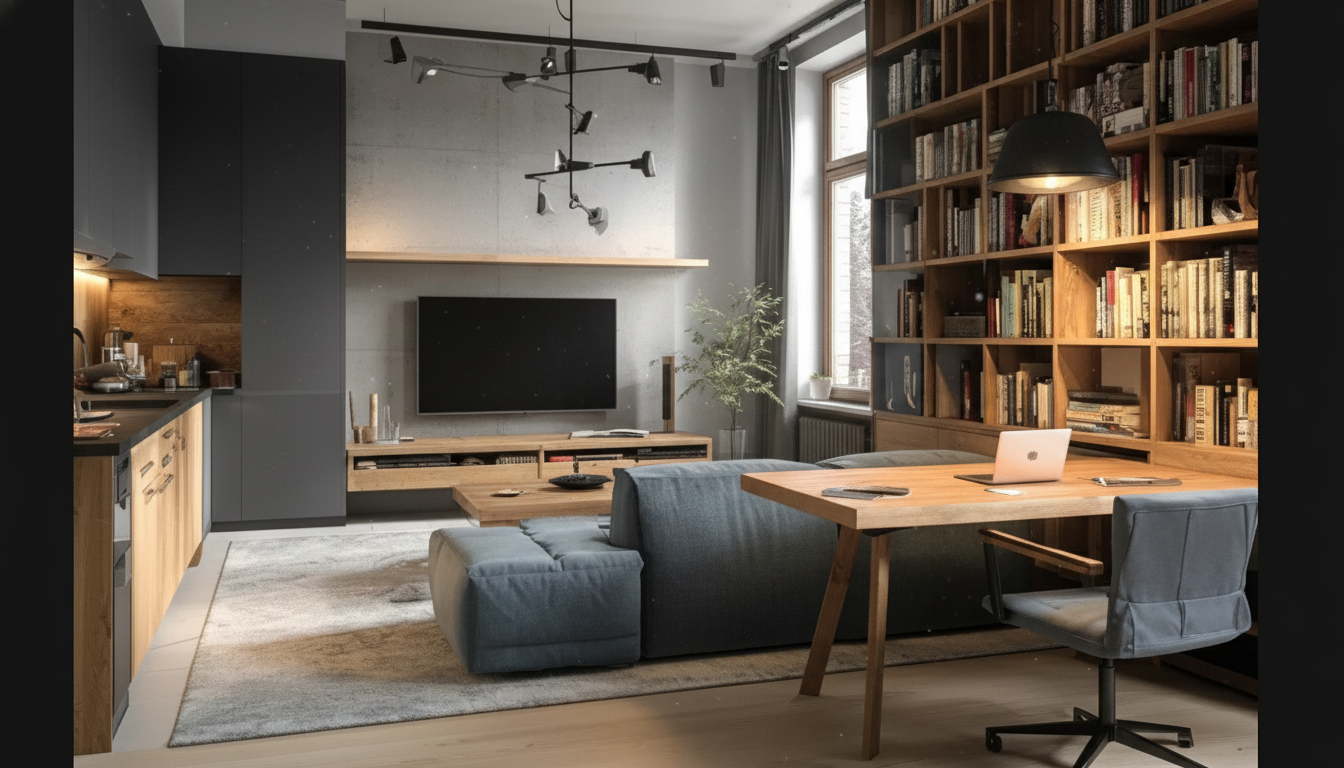
Instead of forcing one layout to do everything, sketch the room as a simple rectangle and assign zones using furniture edges, rugs, and lighting. This keeps the space flexible without permanent partitions.
- Create one primary zone for the use that takes the most hours per day (often work-from-home or relaxation).
- Add two secondary zones that can fold away—like a hosting setup (extra seating) and a workout/play area (open floor).
- Use vertical boundaries to suggest separation while staying adaptable: tall shelving, curtains on a ceiling track, or a bookcase turned perpendicular to a wall.
- Align zone edges so the plan looks intentional. A rug edge lining up with the sofa leg, or a desk line lining up with a shelf line, reduces the “improvised” feeling.
Choose transformation triggers: what moves, what stays
The easiest rooms to reset have a “calm backbone” plus a few pieces that change the mode. Decide what stays put (anchors) and what moves (transformers) so transitions feel automatic.
- Anchor pieces stay put: sofa, main rug, wall shelving, and any large media/storage units. These stabilize the room visually.
- Mobile pieces transform the room: nesting tables, rolling cart, folding screen, stackable stools, or a fold-down desk.
- Use a one-touch rule for frequently changed items: a chair that tucks fully in, a laptop that drops into a drawer, a lamp on a smart plug.
- Plan “parking spots” for displaced items in every mode. If an object doesn’t have a home, it becomes tomorrow’s clutter.
Mode Plan: What to keep out vs. what to store
| Room mode |
Keep visible |
Store or hide |
Fast reset tip |
| Workday |
Task chair, desk surface, focused lighting |
Throw blankets, decorative trays, hobby supplies |
Use a single lidded bin for cords and accessories |
| Dinner / hosting |
Clear tabletop, extra seating, warm lighting |
Keyboard/mouse, paperwork, office supplies |
Pre-stage foldable stools in a closet or behind a curtain |
| Relax / movie |
Sofa comfort items, side table, dimmable lamp |
Laptop stand, chargers, work bag |
Keep a “night reset” basket near the exit |
| Workout / play |
Open floor area, ventilation, mat |
Coffee table clutter, fragile decor |
Mark a floor “drop zone” for temporarily moved items |
Storage that supports quick changeovers
Lighting and acoustics that adapt to each purpose
- Layer lighting: overhead for general use, task lighting for work/hobbies, ambient lighting for winding down.
- Add dimmers or smart bulbs to change the mood instantly. For energy-efficient options and practical guidance, see the U.S. Department of Energy’s lighting resource.
- Soften sound with rugs, curtains, and upholstered pieces to help work calls and reduce the “busy room” echo.
- Protect a quiet corner: a soft lamp, a comfortable chair, and a small side table give you a restorative option even when other zones are active.
Style rules that keep multifunctional rooms looking cohesive
A ready-to-use blueprint for a 3-in-1 room setup
Multifunctional Space Design Bundle: what it helps solve
If you want a guided system for turning one room into a dependable multi-use setup, the How to Design One Space for Many Uses: 3-in-1 Multifunctional Space Design Bundle is designed to keep the process organized from layout choices through finishing touches. It’s especially useful for apartments, guest rooms, studios, and any home where one space must do the work of two or three rooms.
For households where a smoother reset routine depends on better daily habits (sticking to the 5–10 minute close-down, for example), the Positive Attitude Starter Pack | 3-in-1 Digital Bundle can complement a new space plan by helping you follow through consistently—so the room stays flexible instead of sliding back into clutter.
FAQ
How many functions can one room realistically support?
Most rooms work best with 2–3 core uses: one primary function and one or two that fold away. More is possible, but only when each function has a defined storage plan and a quick reset routine.
What’s the fastest way to make a room feel less cluttered when it has many uses?
Reduce visual noise first: use concealed storage in the main sightline and keep one transition bin or cabinet for “must-disappear” items. A consistent 5-minute end-of-day reset that returns the room to a baseline layout makes the biggest difference.
How can a workspace exist in a living room without taking it over?
Choose a compact desk (or wall-mounted option), match its finishes to existing decor, and prioritize cable control. Use a close-up method—drawer, cabinet, or a simple screen—so work visually disappears after hours.
Recommended for you






Leave a comment